
Coos Bay, Oregon

Mac & PC repair in Coos Bay

Both platforms, not just one. Laptops and desktops, Windows and macOS — including the years-old machine that's still perfectly good with the right part in it.

Symptoms I see

The machine is telling you something.

Most computer problems announce themselves long before anything actually fails.

  • Everything takes forever — Long boots, spinning wheels, programs that hang. Sometimes software clutter, sometimes a tired hard drive that wants to be an SSD.
  • Pop-ups and alarming warnings — Fake "your computer is infected" messages, a search engine you never chose, or a number urging you to call. That message is usually the problem itself.
  • Wi-Fi that keeps dropping — Fine on the phone but not the laptop, or dead in one room. Best diagnosed where it happens, which usually means an on-site visit.
  • Clicking, grinding, or files that won't open — A drive on its way out. Stop saving to it and bring it in before it stops entirely.
  • Won't boot, or boots to an error — Blue screens, a flashing folder, or a machine that powers on and goes nowhere.
  • It's just old and slow — An SSD and more memory turn a lot of "time to replace it" machines back into fast ones for a fraction of a new computer.

How it works

Triage, treat, recover.

01 — TRIAGE

Describe what it's doing

Bring it in, or have me come to it. I find out what is actually wrong instead of swapping parts and hoping.

02 — TREAT

You approve the work

What is wrong, what fixing it involves, and what it costs — before anything happens. Including when replacing beats repairing.

03 — RECOVER

Back to work, with your files

Tested and handed back, with your data where you left it wherever that is possible.

Before you buy a new one, let me look at it.

A lot of computers that feel finished are one part away from being fast again. A solid state drive and a memory upgrade routinely turn a machine you were ready to throw out into one that boots in seconds.

And unlike shops that handle only one platform or one version of Windows, Macs and PCs both get worked on here — old and current.

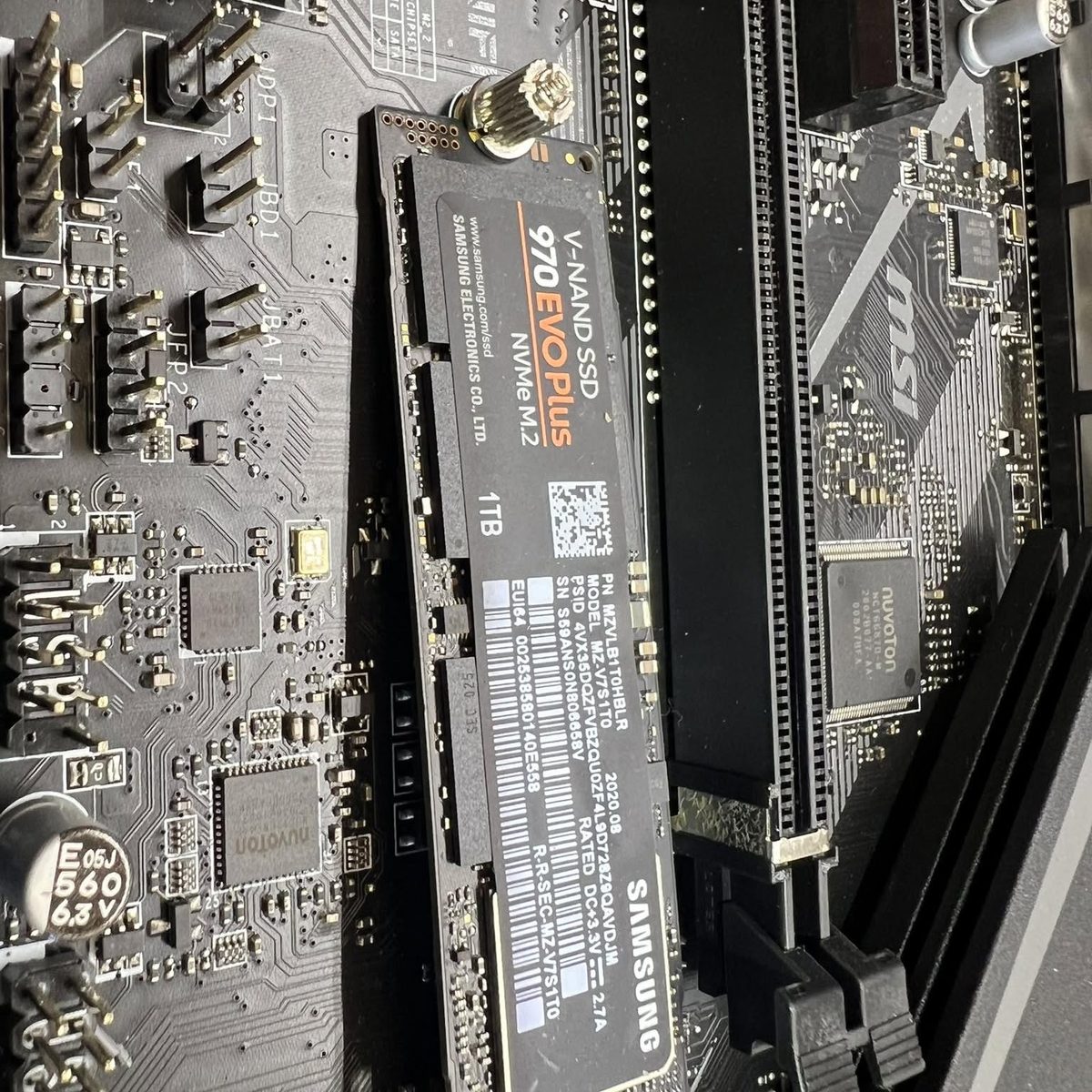
A Samsung NVMe solid state drive being installed on a motherboard during a computer upgrade at iCompute in Coos Bay
An SSD is the single biggest speed change most older computers can get.

In their words

Computer repairs, in their words

★★★★★

EXTREMELY KNOWLEDGEABLE AND GOES ABOVE AND BEYOND FOR HIS CUSTOMERS!! I had an issue with my computer that no one else said could be fixed, but Dale was able to figure it out and fix my computer. I trust him with my electronic repairs more than anyone and Will travel over an hour for his services. He doesn't charge to diagnose and his prices are very reasonable!!
Google reviewerGoogle · 2024

★★★★★

Dale is super knowledgeable, friendly, and helpful. Highly recommended for MacBook repairs in Coosbay.
Aaron BergGoogle · 2026

Read all the reviews

Common questions

Before you call

Do you work on Macs as well as Windows PCs?

Yes, both. iCompute has serviced Mac and Windows machines side by side for over twenty years.

My computer says it is infected and wants me to call a number. Is that real?

Almost certainly not. A pop-up that demands you call a phone number is a scam, and the message is usually the infection itself. Do not call it, and if you already did, bring the machine in.

Is it worth upgrading an older laptop?

Often, yes. A solid state drive and extra memory make a dramatic difference for far less than a new machine. If yours is not worth it, I will tell you that instead.

Will I lose my files?

The goal is always that you do not. If a drive is failing, say so when you call, because the less it is used before it is looked at, the better the odds.

Can you come to my house or business instead?

Yes. On-site service covers Coos Bay, North Bend, Coquille, Bandon, Reedsport and the rest of Coos County.

Slow, infected, or won't start?

Tell me what the machine is doing and I'll tell you whether it's worth fixing.

Call (541) 260-2839