
Coos Bay, Oregon

Data recovery in Coos Bay

The photos, the tax records, the manuscript, the years of a business. Real recovery from a drive that's failing — not just copying files between two working machines.

If it just happened

Stop using the drive.

This is the one piece of advice that changes the outcome. Every extra hour a failing drive spends powered on can overwrite the thing you are trying to get back.

  • Power it down — don't keep rebooting to see whether it comes back this time.
  • Don't install recovery software onto the same drive — writing to it is exactly what you're trying to avoid.
  • Don't reformat it, even if something insists the disk needs initialising.
  • Bring it in, or call and describe what happened — clicking, grinding, silence, or an accidental delete.

Symptoms I see

What's usually behind it.

Deleted, corrupted, or simply refusing to mount — the cause changes what's possible.

  • Deleted by accident — Emptied trash, wrong folder, wiped card. Often recoverable if the drive hasn't been written to since.
  • The drive won't mount — Connected and spinning, but the computer refuses to see it.
  • Clicking or grinding — A mechanical problem. Power it off — repeated attempts make this one worse quickly.
  • Corrupted after a crash or power cut — Files that open to nothing, or a disk the system wants to reformat.
  • A card or stick that stopped working — Camera cards, USB sticks and phone storage.
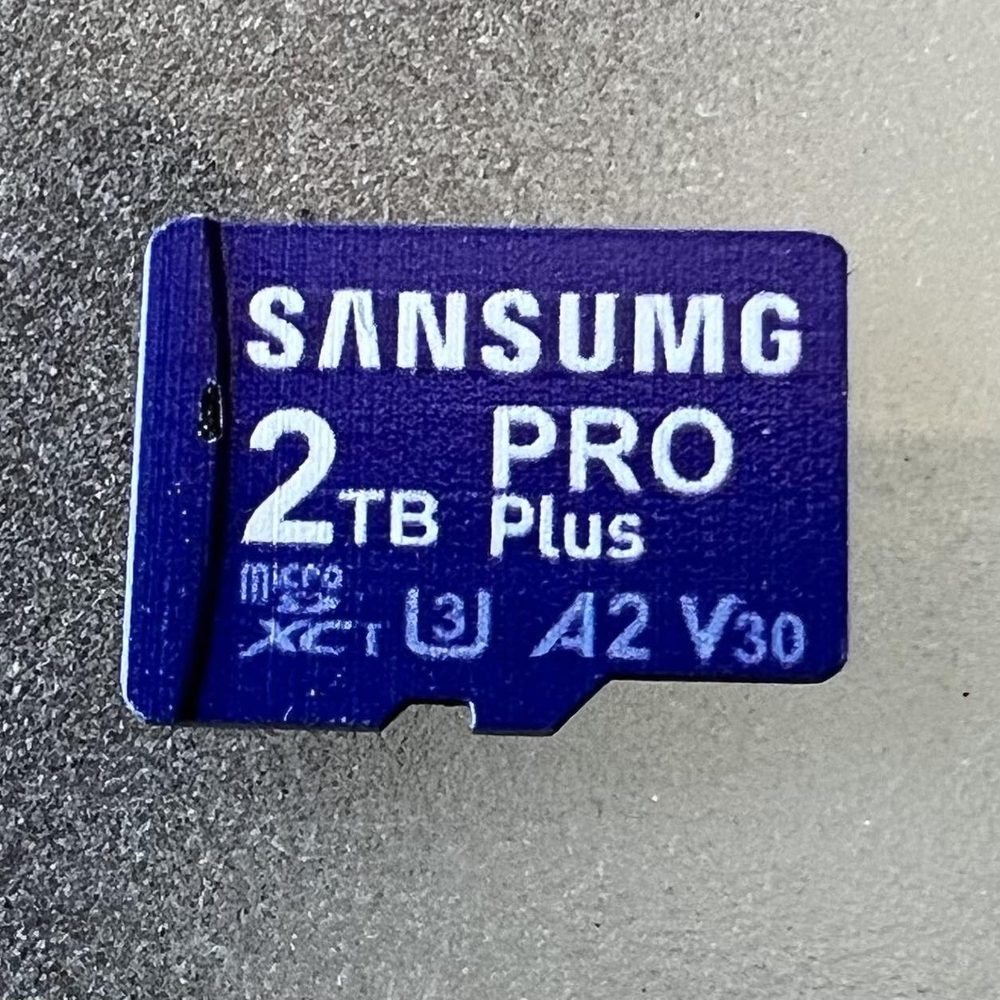
  • A counterfeit card that lied about its size — Fake high-capacity cards are common and silently discard whatever you put past their real limit.

Some data loss is built in from the start.

Cheap high-capacity memory cards are frequently counterfeit. They report a size they do not have, accept your files, and quietly discard everything past their real capacity. You find out when the photos won't open.

If a card was suspiciously cheap for its size, treat what's on it as at risk and stop adding to it.

A counterfeit memory card labelled SANSUMG 2TB PRO Plus, a fake that reports far more storage than it actually holds
A counterfeit card — note the misspelled brand. It claims 2TB and holds a fraction of that.

Afterwards, let's make sure it can't happen twice.

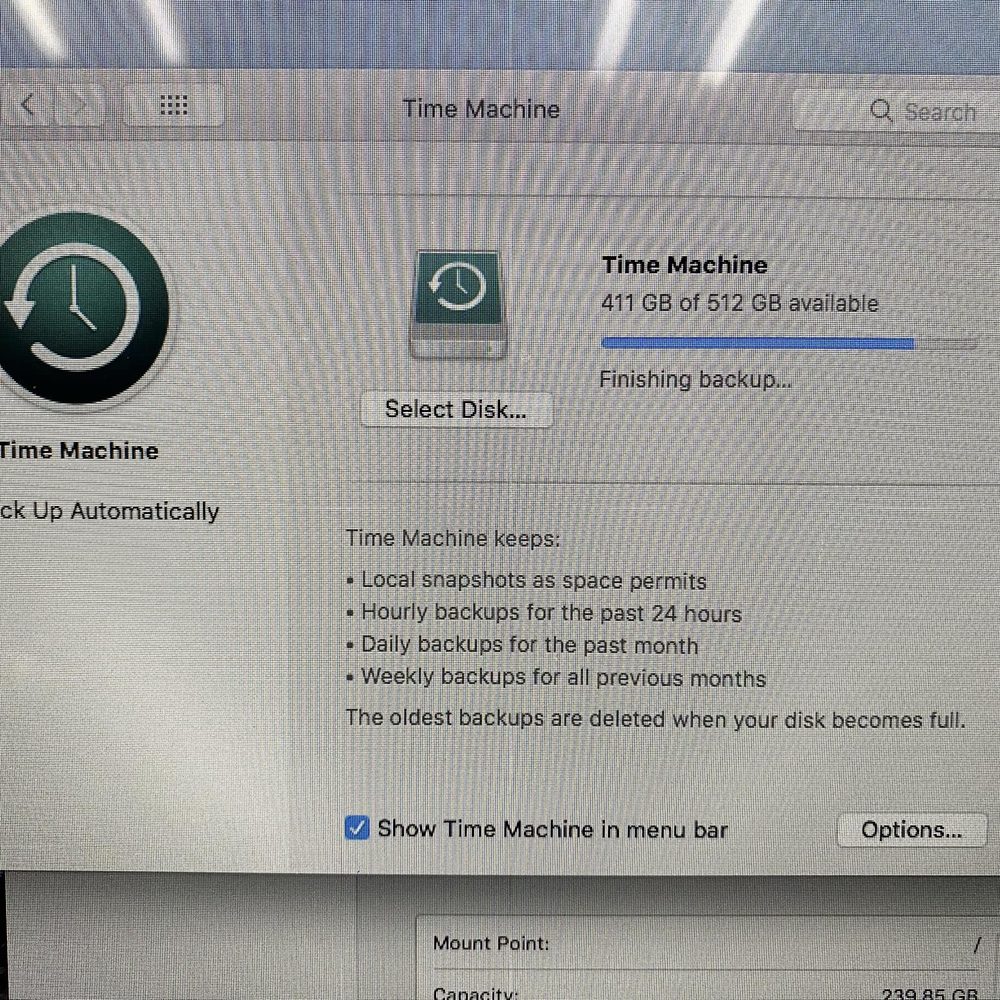
Recovery is the emergency. A backup is the thing that means there is never another one. Time Machine on a Mac, File History on Windows, or an external drive you actually plug in — I'll set it up so it runs without you thinking about it.

Ask about it when you pick the device up. It's a short conversation that saves the long one.

A Mac Time Machine backup window showing a completed backup, part of backup setup offered by iCompute
The cheapest data recovery is the backup you already had.

In their words

In their words

★★★★★

EXTREMELY KNOWLEDGEABLE AND GOES ABOVE AND BEYOND FOR HIS CUSTOMERS!! I had an issue with my computer that no one else said could be fixed, but Dale was able to figure it out and fix my computer. I trust him with my electronic repairs more than anyone and Will travel over an hour for his services. He doesn't charge to diagnose and his prices are very reasonable!!
Google reviewerGoogle · 2024

★★★★★

Dale is super knowledgeable, friendly, and helpful. Highly recommended for MacBook repairs in Coosbay.
Aaron BergGoogle · 2026

Read all the reviews

Common questions

Before you call

Can you get my files back?

Sometimes, and it depends entirely on what happened to the drive. An accidental delete and a mechanically failing disk are very different jobs. I will look at it and tell you honestly what is realistic rather than promise an outcome up front.

What should I do right now?

Stop using the drive and power it down. Do not reformat it and do not install recovery software onto the same disk. Then call (541) 260-2839.

Do you recover phone and camera storage too?

Yes — memory cards, USB sticks and phone storage as well as internal and external computer drives.

Is this different from transferring files to a new computer?

Very. Moving files between two working machines is a transfer. Recovery is pulling data off something that is damaged, corrupted, or no longer readable.

Can you set up a backup so this does not happen again?

Yes, and it is worth asking about while the device is with me. A backup that runs by itself is the only real protection against the next failure.

Lost something important?

Stop using the drive and call. The sooner it's looked at, the better the odds.

Call (541) 260-2839